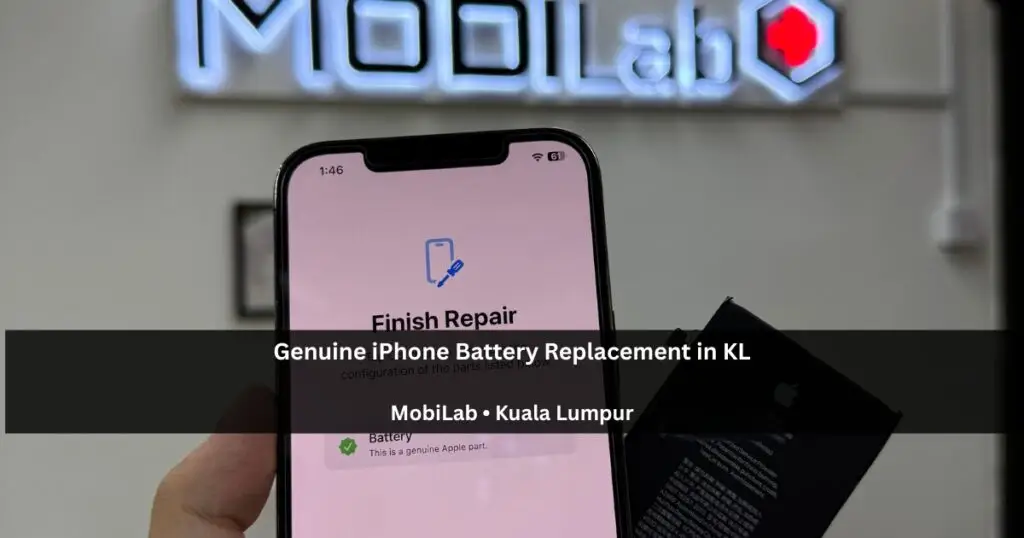
If your iPhone no longer lasts through the day, drains unusually fast, or feels slower than it used to, you may be wondering whether it’s time for a battery replacement.
At MobiLab in Kuala Lumpur, iPhone battery replacement KL is one of the most common services we perform. Many customers continue using degraded batteries for months before realising how much battery life and performance they have lost.
Fortunately, Apple provides a built-in tool that makes it easy to check your battery’s condition.
In this guide, we’ll explain the key signs that indicate your iPhone battery may need replacing and what you should look for before deciding whether to repair or upgrade your device.
What Is iPhone Battery Health?
Every iPhone battery gradually loses capacity as it ages.
According to Apple’s battery guidance, batteries in iPhone 14 and earlier models are designed to retain 80% of their original capacity at 500 complete charge cycles under ideal conditions. For iPhone 15 and later models, the figure is 1,000 cycles. Actual ageing depends on use and charging habits.
To check your battery health:
Settings → Battery → Battery Health (the section may be called Battery Health & Charging, depending on your model)
The percentage shown under Maximum Capacity indicates how much charge your battery can hold compared to when it was brand new.
General Battery Health Guidelines
Read Maximum Capacity together with any service message and your everyday battery life. Below 80% is a useful reason to consider an assessment, but a percentage alone cannot confirm the cause of shutdowns, overheating or charging problems. A higher reading does not rule out another fault.
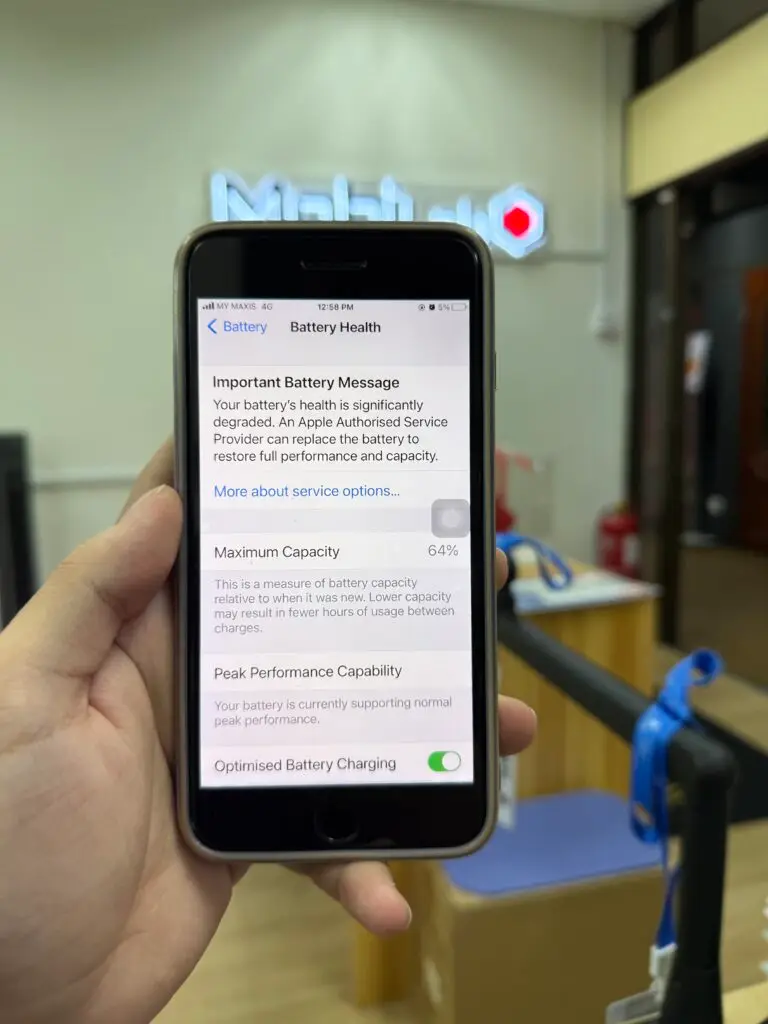
Example: Severely Degraded Battery
The example below shows an iPhone with only 64% maximum battery capacity remaining.
At this level, most users will experience noticeably shorter battery life and may need to charge multiple times throughout the day.
Sign #1: Your Battery Drains Too Quickly
One of the most obvious signs of battery wear is rapid battery drain.
If your phone used to last an entire day but now struggles to reach the afternoon, battery degradation may be the cause.
Before replacing the battery, check Battery Usage in Settings to ensure no single application is consuming excessive power.
Sign #2: Battery Health Is Below 80%
A reading below 80% means the battery holds substantially less charge than when new; it is a useful service indicator, not a complete diagnosis.
While some users may still be comfortable using their phones at this level, battery life will usually be noticeably shorter than when the device was new.
If your battery health is below 80%, replacement is often worth considering.
Sign #3: Unexpected Shutdowns
A degraded battery may no longer provide stable voltage under heavy load.
This can cause the device to shut down unexpectedly, even when the battery indicator still shows remaining charge.
Sign #4: Your iPhone Feels Slower Than Before
In some situations, a worn battery can affect overall device performance.
If your iPhone feels noticeably slower than it used to and battery health is already low, replacing the battery may improve the user experience.
Sign #5: Your Phone Gets Warm Frequently
Some warmth during charging is normal.
Unusual heat can have several causes, including demanding apps, charging conditions or a hardware fault. Heat alone does not prove the battery needs replacing. If the battery appears swollen or the screen is lifting, stop charging and arrange a professional inspection.
What Happens After Battery Replacement?
A new battery restores the device’s ability to hold charge effectively.
In many cases, customers immediately notice:
- Longer battery life
- Less frequent charging
- Improved daily usability
- More consistent battery percentage readings
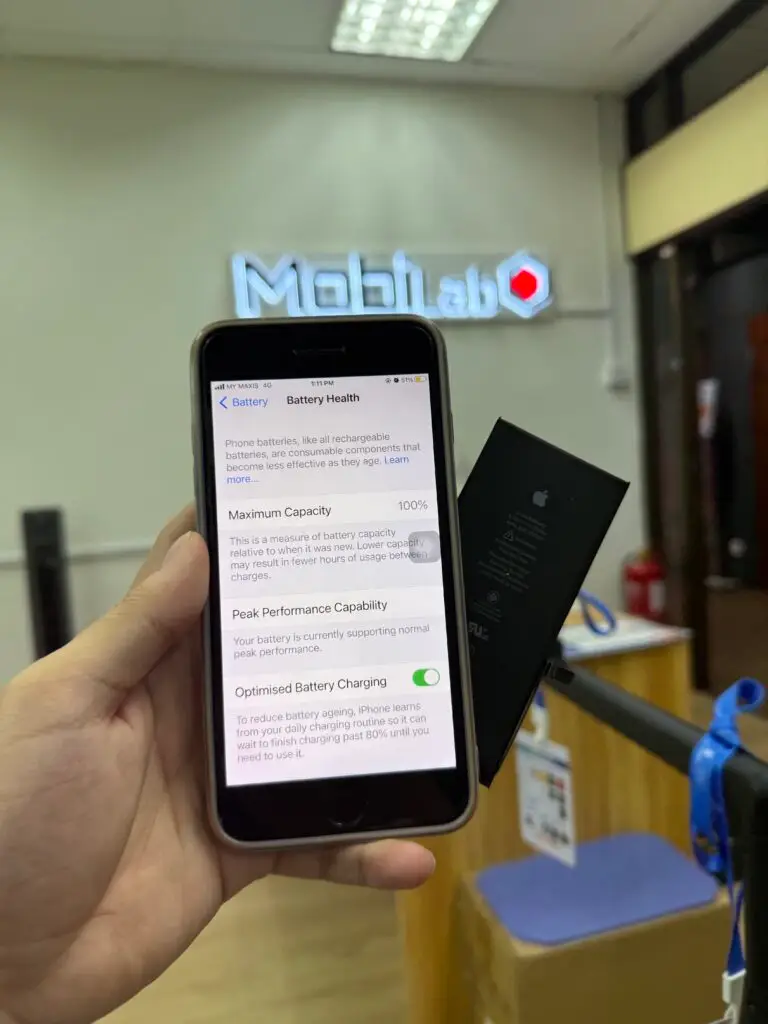
The example below shows battery health restored to 100% after battery replacement.
Why Proper Battery Configuration Matters
Modern iPhones are more advanced than older models.
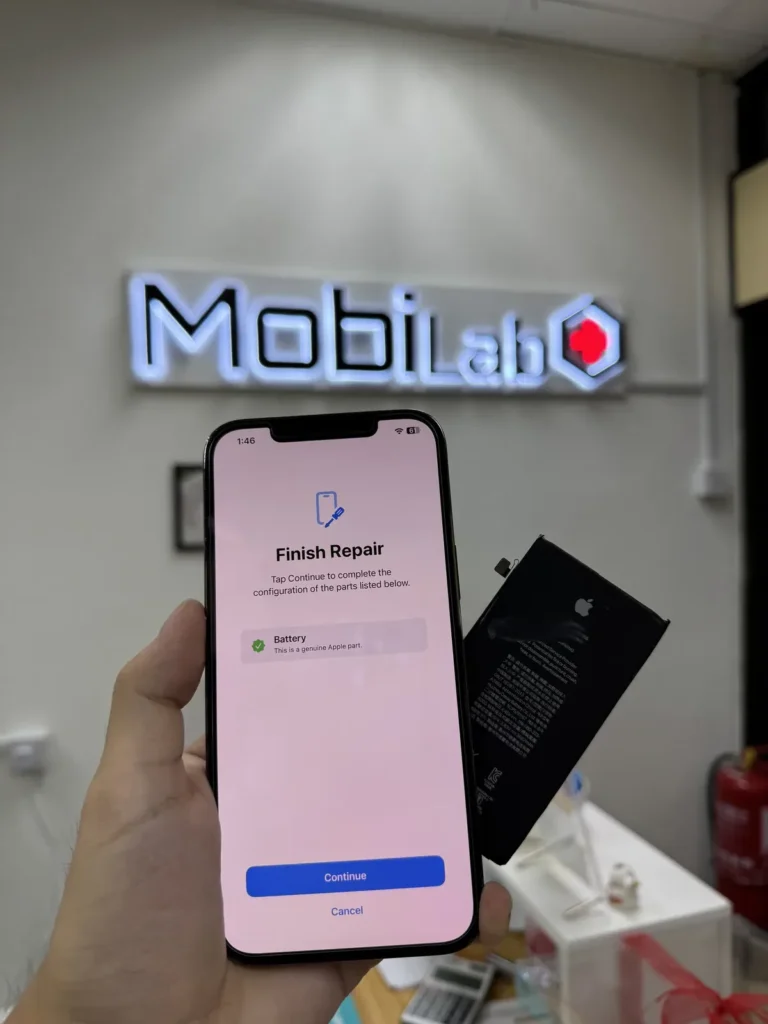
For supported models, genuine battery replacement may require component configuration and verification to ensure the device correctly recognises the installed battery.
Proper configuration helps maintain:
- Accurate battery health reporting
- Correct battery information
- Reliable long-term performance
- Proper component recognition
The image below shows an example of a genuine battery installation and configuration process.
Is Battery Replacement Worth It?
In most cases, yes.
Replacing a battery is significantly less expensive than purchasing a new device and can often extend the useful life of an iPhone by several years.
If the rest of your device is functioning normally, battery replacement is usually one of the most cost-effective repairs available.
Get an iPhone Battery Replacement Quote in KL
Send your iPhone model, Battery Health reading and symptoms to MobiLab. We will explain the available battery options and quote after checking the device; timing depends on parts and technician availability. Explore our battery replacement service. If your iPhone stopped powering on after an attempted repair, see our DIY battery replacement repair case, where the fault required more than a new battery.
Frequently Asked Questions
How do I check my iPhone battery health?
Go to:
Settings → Battery → Battery Health (the section may be called Battery Health & Charging, depending on your model)
What battery health percentage should I replace my battery?
A reading below 80% is a reason to consider assessment, especially if battery life no longer meets your needs. The reading alone does not diagnose every fault; symptoms and the device condition also matter.
Will I lose my data during battery replacement?
A routine battery replacement is not intended to erase your data. However, unexpected faults can occur during any repair, so back up your iPhone beforehand whenever possible and tell the technician if you have important data without a backup.
How long does iPhone battery replacement take?
Many iPhone battery replacement KL cases at MobiLab can be completed on the same day when parts and technician slots are available.
Can replacing the battery improve performance?
In many cases, yes. A new battery can improve battery life, charging behaviour, and overall user experience.
Where can I replace my iPhone battery in Kuala Lumpur?
MobiLab assesses iPhone batteries at Lot 1.91, First Floor, Wisma Cosway, near Pavilion KL. We open Monday to Saturday, 11am–8pm, and close on Sunday. Check our Wisma Cosway address and opening hours before visiting.
About MobiLab
MobiLab is a smartphone repair specialist at Wisma Cosway in Kuala Lumpur, serving customers from KL and Selangor.
Our services include:
- iPhone Battery Replacement
- iPhone Screen Replacement
- Motherboard Repair
- Data Recovery
- iPad Repair
- Advanced Diagnostics
If you’re unsure whether your battery needs replacing, WhatsApp MobiLab a photo of your battery health screen for checking before you visit.
Standard diagnosis is free at Wisma Cosway. Complex diagnostic work is quoted first and only proceeds with your approval. If your Apple Watch also struggles to last through the day, see our Apple Watch battery replacement guide for its separate assessment and water-resistance considerations.