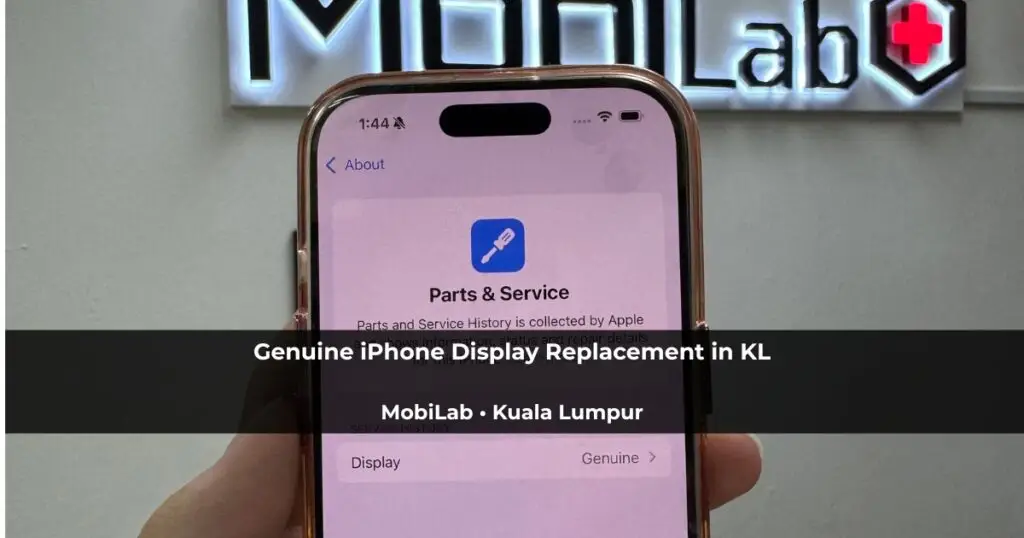
Choosing a replacement iPhone screen involves more than the price. This iPhone 16 Pro repair case shows the damaged display, post-repair checks and Parts & Service History result. MobiLab can assess supported iPhones at Wisma Cosway, near Pavilion KL, and explain genuine and aftermarket options before you decide.
When it comes to iPhone screen replacement, most customers face the same question: should they choose an aftermarket display or an Apple Genuine Display?
While both options can restore functionality, a Genuine Display offers the closest experience to the original screen installed by Apple. It provides original display quality, proper software integration, and the ability for iOS to recognise the replacement component through Apple’s Parts & Service History system.
Recently, we completed an Apple Genuine Display replacement for an iPhone 16 Pro. Here is what the process looks like and how customers can verify the repair themselves.
The Original Display Was Damaged
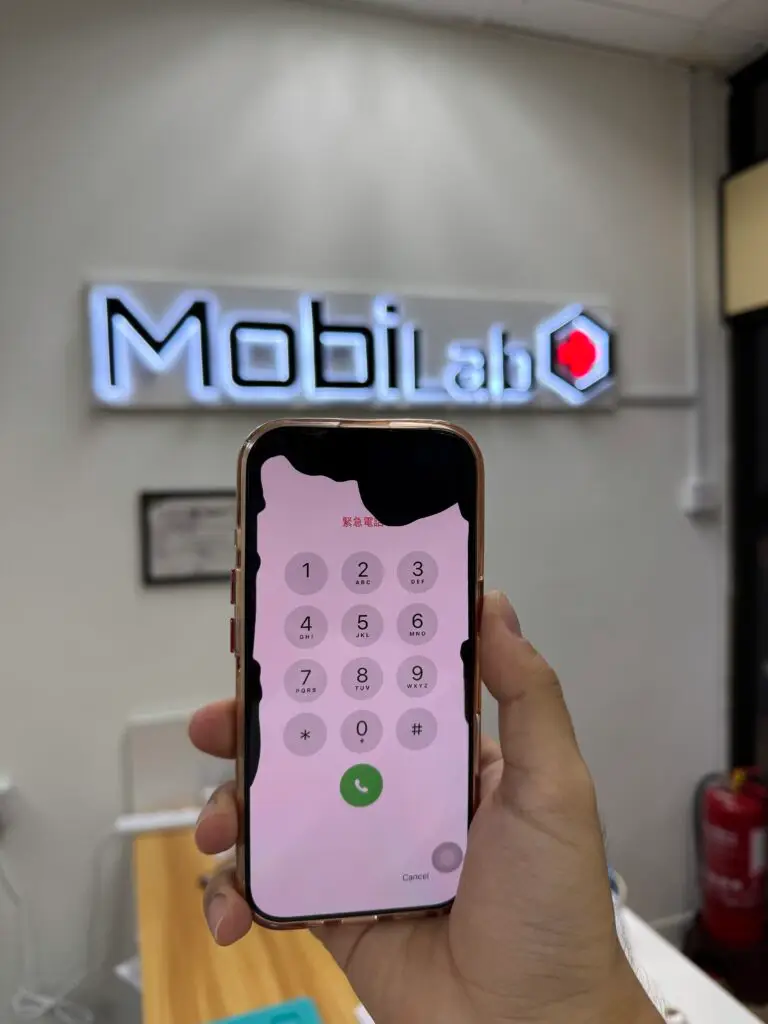
Before the repair, the iPhone suffered severe OLED damage.
The display remained partially functional, but black patches had spread across the damaged OLED panel. These patches are sometimes called “ink bleed”; OLED screens do not contain liquid crystal. A damaged display can make it difficult to see or control the phone.
Although the phone could still power on, replacing the display was necessary to restore normal usability.
Why Choose An Apple Genuine Display?
Not all replacement screens are the same.
An Apple Genuine Display is designed specifically for the device and provides the same colour accuracy, brightness, touch responsiveness, and overall experience as the original screen.
Unlike many aftermarket displays, a Genuine Display can also be recognised by iOS after the repair is completed properly.
Benefits include:
- Original colour calibration
- Original brightness performance
- Accurate touch response
- Better software compatibility
- Genuine part recognition through iOS
- Display performance designed for the supported model
For customers who intend to keep their iPhone for several years, a Genuine Display is often the preferred option.
Post-Repair Diagnostics
Installing the display is only part of the repair process.
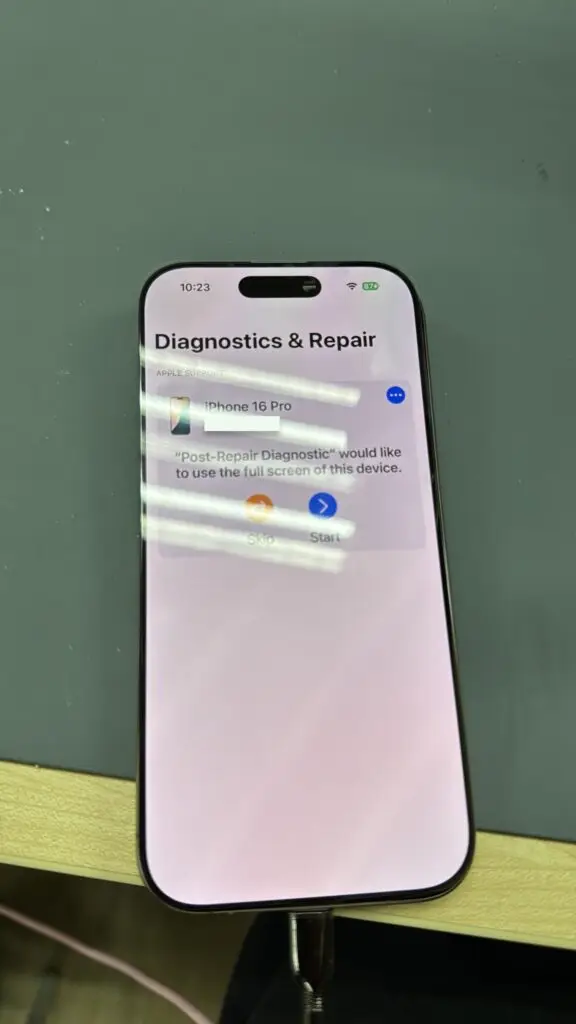
After fitting a supported genuine display, repair configuration or calibration and functional checks are separate steps. The process depends on the iPhone model and software version. This case included the post-repair diagnostics shown below.
This process verifies the repair, checks component functionality, and helps ensure everything operates as expected before the phone is returned to the customer.
Final Device Verification
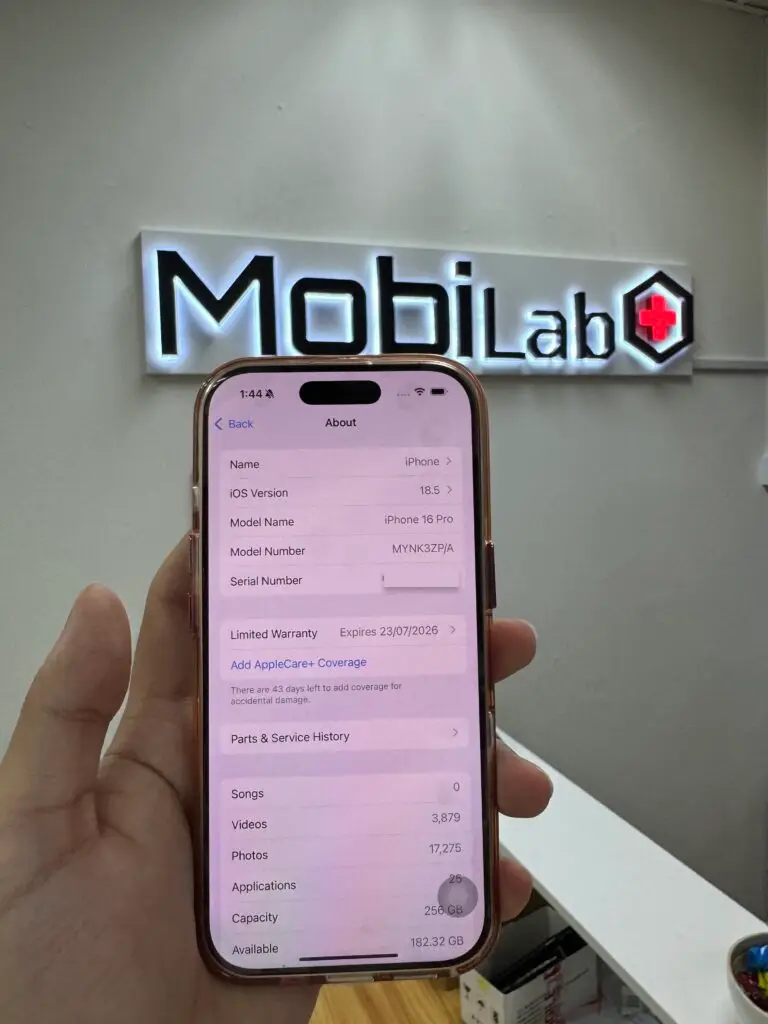
Once diagnostics are completed successfully, the device information is reviewed as part of the final quality-control process.
This allows us to verify the model information, software version, and repair status before the device is handed back to the customer.
At this stage, the display replacement has been completed and the phone is ready for final verification.
How To Verify A Genuine Display Yourself
One of the biggest advantages of choosing a Genuine Display is the ability to verify the repair directly through iOS.
To check this yourself:
Settings → General → About → Parts & Service History
On supported models, a properly completed repair can show Genuine. A previously installed genuine display may show Used on supported iPhone and iOS versions. Finish Repair means configuration is still pending; Unknown can have several causes, including an unverified or malfunctioning part.
Check the actual message on your device rather than assuming all replacements show the same label. See Apple’s Parts and Service History guide and genuine iPhone display guidance for model and software requirements.
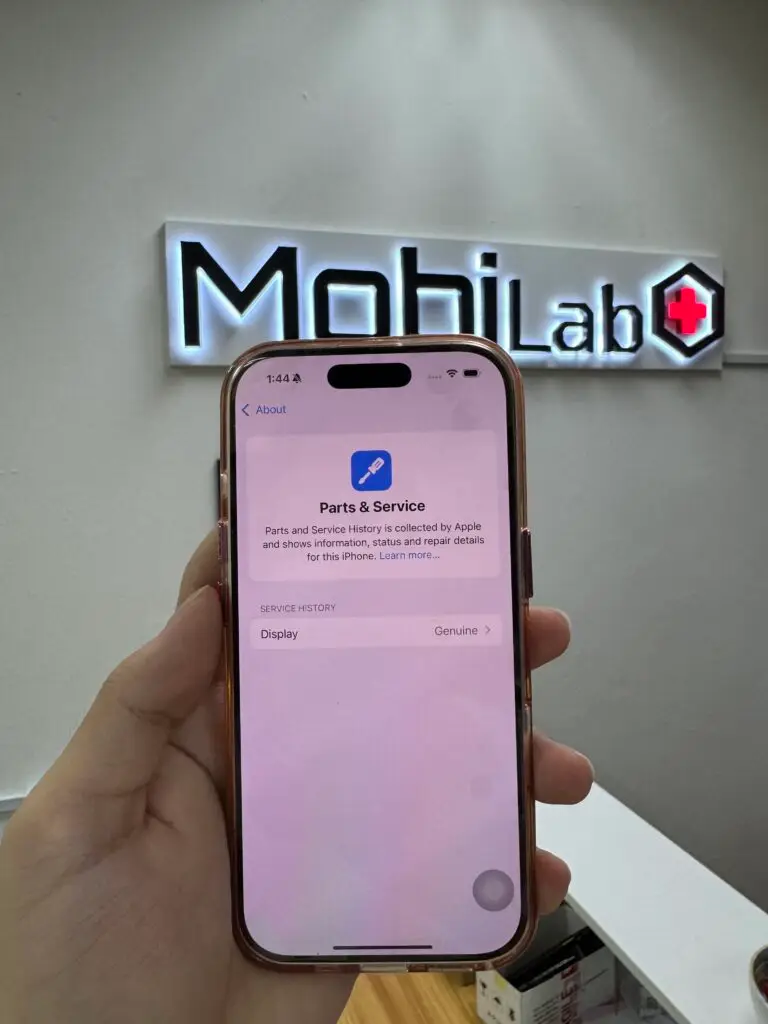
as Genuine.
Is An Apple Genuine Display Worth It?
For many users, the answer is yes.
A Genuine Display provides the closest experience to the original screen installed when the device left the factory.
You benefit from:
- Original display quality
- Proper iOS integration
- Genuine component recognition
- Model-specific display performance
- Greater confidence in the repair
If your iPhone is still in good condition and you plan to continue using it, investing in a Genuine Display is often worthwhile.
Apple Genuine Display Replacement In Kuala Lumpur
MobiLab offers screen replacement and phone repair assessment for supported iPhones at Wisma Cosway. Ask which parts are available for your model, what the quote includes and what warranty applies.
Every repair includes professional installation, post-repair diagnostics, quality-control checks, and verification through Apple’s Parts & Service History system where applicable.
Visit Lot 1.91, First Floor, Wisma Cosway, 88 Jalan Raja Chulan, Kuala Lumpur, Monday to Saturday, 11am–8pm; closed Sunday. Send your model and screen symptoms to MobiLab before visiting. Standard diagnosis is free. Complex diagnostic work is quoted first and only proceeds with your approval.
Frequently Asked Questions
Does a Genuine Display remove the non-genuine warning?
A supported genuine display can be recognised after the required configuration is completed. An existing warning needs assessment: replacing the screen alone does not guarantee that every message or separate fault will disappear.
Will Face ID still work after a Genuine Display replacement?
Replacing the display does not by itself repair a damaged Face ID system. Tell us whether Face ID worked before the damage so its condition can be assessed separately.
Is a Genuine Display better than an aftermarket screen?
A Genuine Display offers the closest experience to the original screen, including colour accuracy, brightness, touch responsiveness and software integration.
Can I verify the display myself?
Yes. Navigate to:
Settings → General → About → Parts & Service History
The message depends on the model, software, part and completed configuration. Refer to the verification section above for Genuine, Used, Finish Repair and Unknown labels.
How long does a Genuine Display replacement take?
Repair time varies depending on model and part availability. Contact MobiLab with your device model for an estimated turnaround time.
Before Deciding on a Screen Repair
Consider the condition of the rest of the phone as well as the screen. If battery life is also poor, read our iPhone battery replacement signs before deciding on the repair budget. If a severely damaged phone will not start and the files matter most, our iPhone 15 accident-damage recovery case explains why recovery assessment may be a separate priority.