iPhone not turning on after repair? If the problem began immediately after a DIY battery or screen replacement, stop further disassembly and do not assume a software reset is the answer. The replacement part, connectors and motherboard may need checking. Tell the repair shop straight away if preserving your data is the priority.
In this MobiLab case in Kuala Lumpur, a customer replaced their own iPhone battery, but the phone would not turn on afterwards. Our inspection found that an overlong screw had been installed in the wrong position and driven into the logic board. We carried out a specialist logic board transplant and successfully preserved the customer’s data.
The lesson is not that you can never repair your own phone. It is that small details, especially screw length and placement, matter. If you are unsure, getting help before continuing can prevent a straightforward repair from becoming a motherboard problem.
What Happened After This DIY Battery Replacement?
The customer brought the iPhone to MobiLab after it stopped powering on following their battery replacement. The timing made the recent repair an important part of the diagnosis, but it did not automatically mean the new battery was faulty.
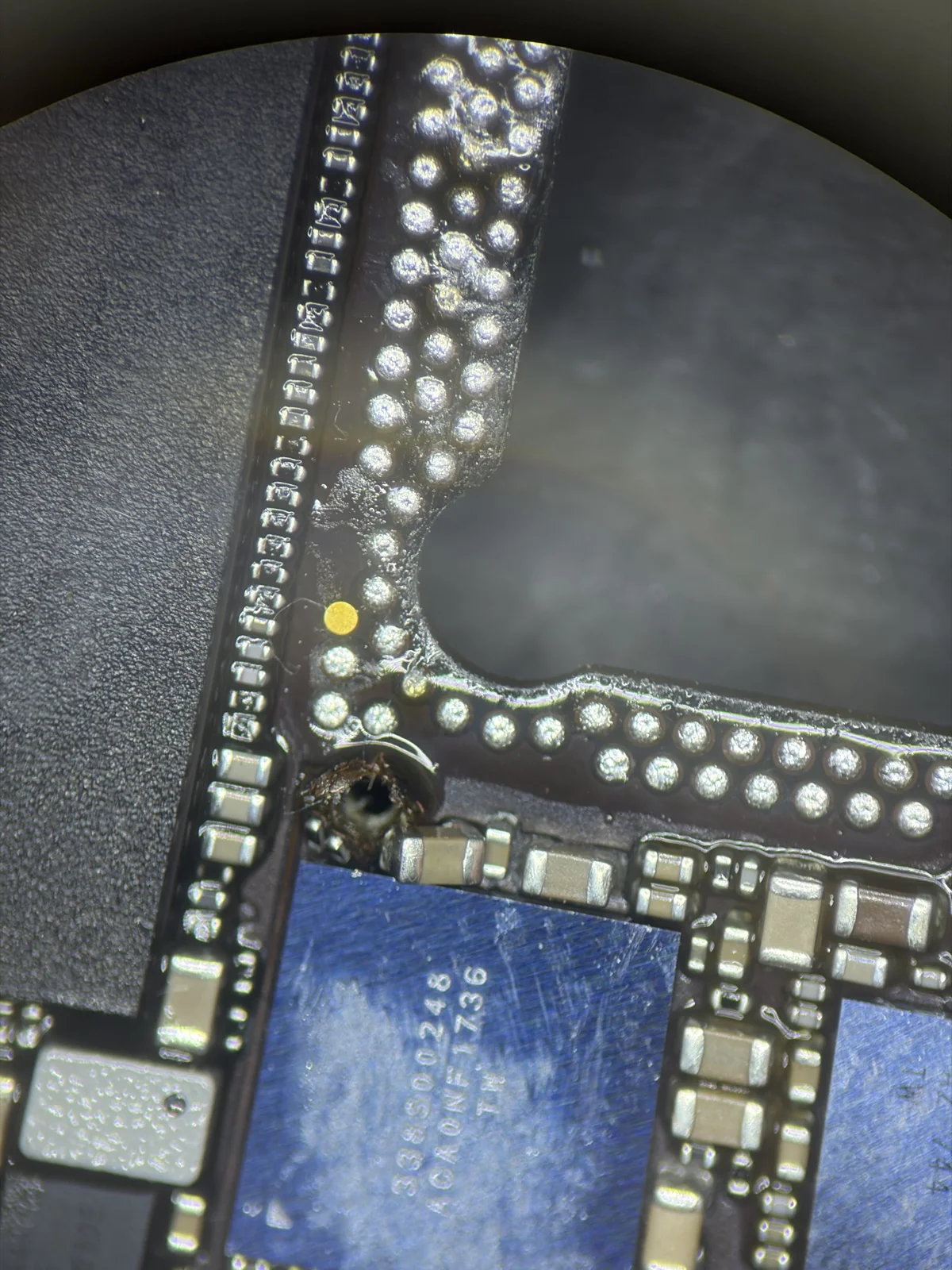
Inspection revealed long screw damage: a screw that was too long for its mounting position had penetrated and damaged the board. Microscope photos documented the affected screw-hole area and nearby physical damage.
Why Can the Wrong iPhone Screw Cause Damage?
Internal screws can look similar while having different lengths or intended positions. A screw that fits the driver is not necessarily suitable for a particular hole. In this case, the wrong screw reached beyond its intended mounting depth and damaged the motherboard.
Once physical damage has occurred, removing the screw does not necessarily restore the affected connections. Replacing the battery again or reinstalling software would not repair that physical damage either.
Keep each screw associated with its exact original location and use the repair instructions for the correct model. If a screw does not seat as expected, stop rather than tightening it harder. Do not use a generic AI answer to guess screw positions or lengths.
How MobiLab Repaired This iPhone and Preserved the Data
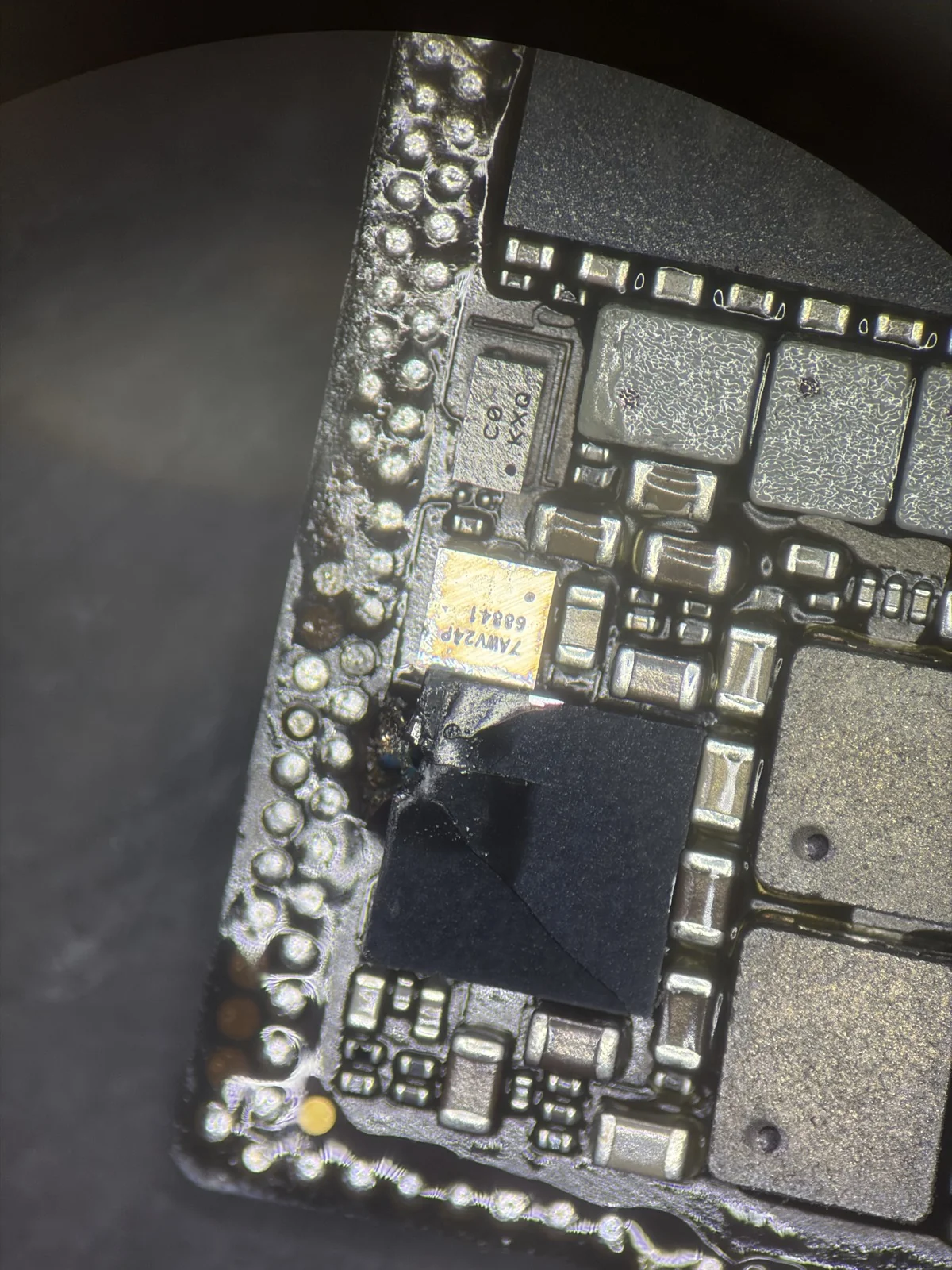
For this device, MobiLab used a logic board transplant. We transferred the original CPU, NAND storage and encryption-related components to a good replacement logic board. This was specialist component-level work, not simply swapping the entire original board for another one.
The distinction matters when the customer’s existing data is the priority. iPhone data protection is tied to its security hardware and passcode, not just a storage chip that can be read independently. Apple’s Secure Enclave documentation explains this hardware-based protection.
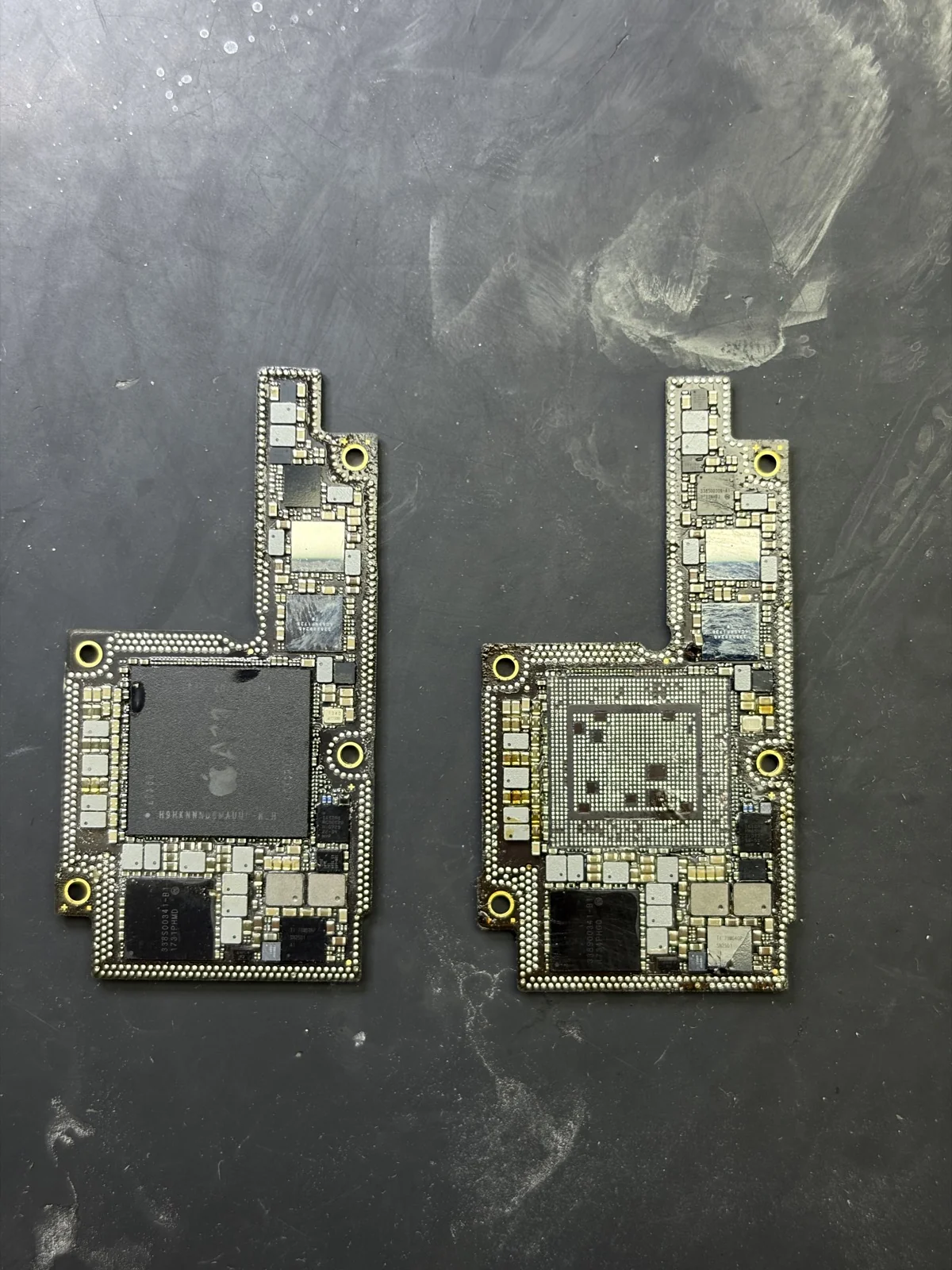
Following the repair, the iPhone powered on to its passcode screen, and MobiLab confirmed that the customer’s data was preserved. This was not a passcode-removal service. The result photo shows the phone starting up without displaying the customer’s private files.
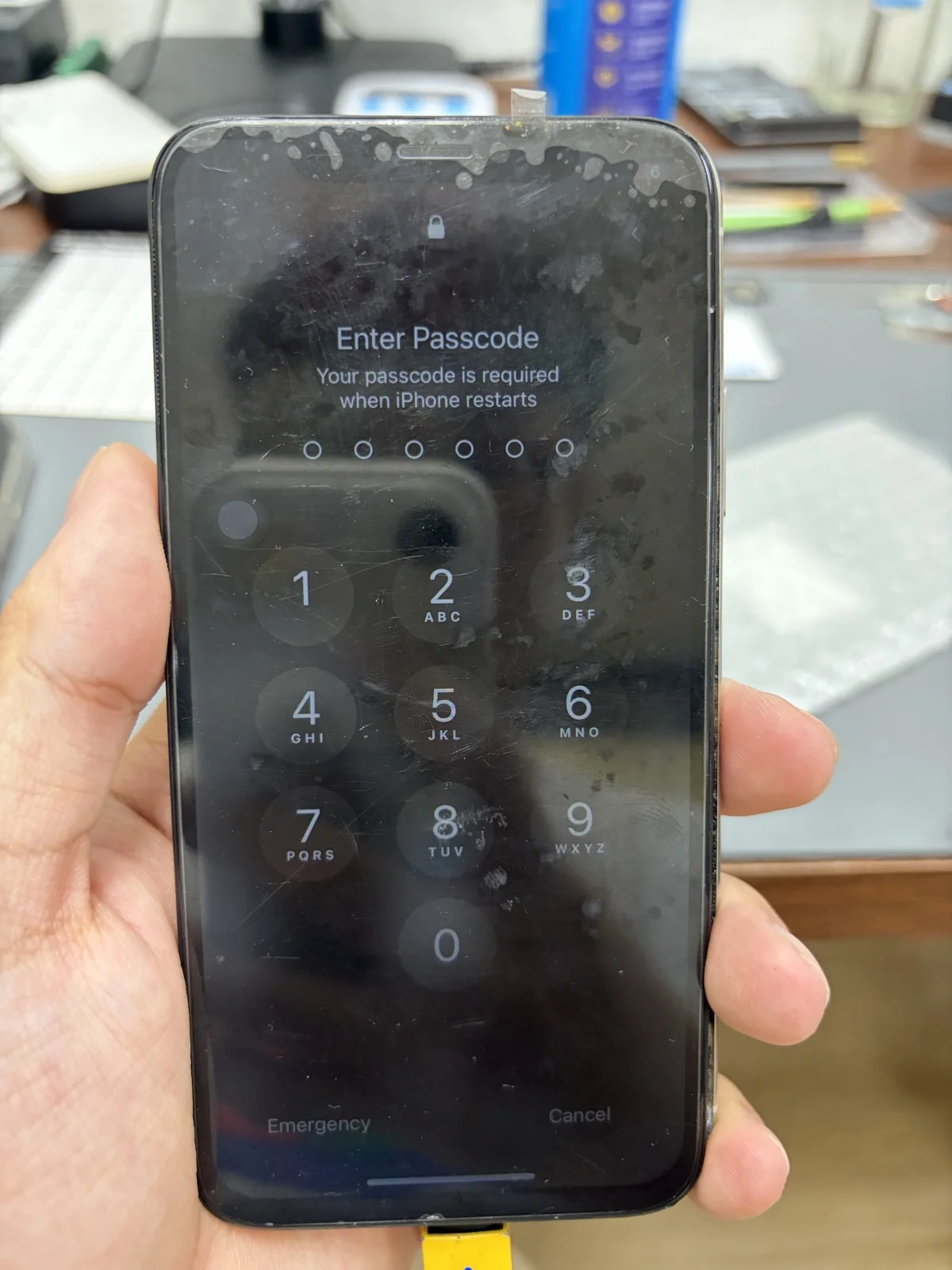
This successful outcome applies to this case. A transplant is not suitable for every damaged iPhone, and data preservation cannot be guaranteed before assessment. The condition of the original components and the extent of the damage matter.
For another example where the original data was the priority, read our iPhone 15 recovery after severe road-accident damage. Both cases required individual assessment of the original components.
What Should I Do If My iPhone Will Not Turn On After a Battery or Screen Replacement?
- Stop guessing. Do not keep moving screws, reconnecting parts or forcing the phone back together.
- Watch for battery danger signs. If the phone becomes unusually hot, the battery is swollen or damaged, or you notice smoke or an unusual smell, stop using and charging it. Do not press, puncture or continue working on the battery.
- Protect the data. If you need files that are not backed up, do not erase or restore the iPhone as a troubleshooting experiment. Tell the technician that data preservation comes first.
- Explain what changed. Bring the removed parts and screws, kept separate and labelled if possible. Mention any screw mix-up, connector difficulty or unusual resistance during assembly.
- Get the actual fault checked. A technician should assess whether the problem involves the replacement part, a connection, the display or the logic board before proposing a repair.
A black screen after screen replacement does not by itself prove that the iPhone has no power. Equally, a phone that will not start after a battery change does not automatically need another battery. This particular customer’s problem followed a battery replacement; screen replacement is a related troubleshooting situation, not an additional event in this case.
DIY iPhone Repair Is About Preparation, Not Just Confidence
If you have not started the repair and are unsure whether a battery is worn, our guide to iPhone battery replacement signs explains Battery Health, symptoms and when to ask for a check.
Apple describes Self Service Repair as intended for people with the knowledge and experience to repair electronic devices, starting with the model-specific repair manual. Its display repair guidance also warns that incorrectly installed screws or covers can leave loose parts that damage the battery or create safety risks.
Before attempting a repair, back up your data, understand the correct procedure and make sure you can keep parts and screws organised. An AI answer or video can help explain a topic, but it cannot inspect your actual phone or confirm that a screw belongs in a particular hole.
If you are not comfortable identifying the parts, handling the battery or following the correct screw layout, choosing a repair shop is a sensible decision. And if something has already gone wrong, explain it openly: that information helps the technician assess the phone.
Assessment at MobiLab Wisma Cosway
MobiLab assesses iPhone no-power and motherboard problems for customers in Kuala Lumpur and Selangor. If you are looking for iPhone repair near you after a DIY repair attempt, contact our team at Lot 1.91, First Floor, Wisma Cosway, 88 Jalan Raja Chulan, near Pavilion KL. We open Monday to Saturday, 11am–8pm, and close on Sunday.
WhatsApp MobiLab with your iPhone model, what you replaced and what happened afterwards. Let us know whether your data is backed up. We can explain suitable next steps after checking the device. See our motherboard repair services and Wisma Cosway location.
Diagnosis and Repair Costs
Standard diagnosis at MobiLab Wisma Cosway is free. Complex checks require a quote and your approval before work begins. Repair pricing depends on the damage and proposed work, rather than the no-power symptom alone. Where a donor board is needed, we explain its cost and any charges that remain payable if recovery is unsuccessful before you approve the work. See our repair fees and assessment FAQs for the charging policy.
Frequently Asked Questions
I changed my iPhone battery and now it will not turn on. What should I do?
Stop further trial-and-error assembly and arrange an inspection. Tell the technician about the battery change, any screw mix-up and whether your data is backed up. Avoid an erase or restore if preserving unbacked-up data is important.
My iPhone screen is black after a screen replacement. Is the motherboard dead?
Not necessarily. A display or connection problem can also cause a black screen. The phone needs checking to distinguish a display issue from a true no-power fault or board damage.
Can putting an iPhone screw in the wrong hole stop it turning on?
Yes, if the screw damages the board or other components. In this case, an overlong screw fitted in the wrong position damaged the logic board after a DIY battery replacement. Not every post-repair no-power problem has this cause.
Can my data be saved after iPhone long screw damage?
It may be possible, depending on which components were damaged. MobiLab preserved the customer’s data in this case through a logic board transplant using the original CPU, NAND and encryption-related components. Another device requires its own assessment.
Is a logic board transplant the same as replacing the motherboard?
Not in this case. MobiLab transferred original critical components to a good board, rather than simply fitting a complete replacement motherboard. This approach was chosen to address the damage while preserving the customer’s existing data.
Should I replace my iPhone battery or screen myself?
Only consider it if you have the necessary knowledge, tools and model-specific instructions. Back up first and keep track of every screw. If you are unsure, or the phone has already stopped working after your attempt, seek help from a qualified repair provider.